

Pricing
All users share the same pricing. New users get a 1-day free trial with a platform-managed API key and one free-trial Agent. After the trial, top up your balance to continue. You can also earn balance by inviting friends.Pricing Model
ClawUp uses hourly usage-based billing for both compute and storage:Compute (Running Agents)
- Rate: 2.78 cents/hour (~$20 for 30 days continuous)
- Billed only while your Agent is Running
- Stop your Agent → compute billing stops immediately
- Restart → compute billing resumes
- Monthly cap: $20/Agent (compute + storage combined)
Storage (All Non-Deleted Agents)
- Rate: 0.003 cents per GB per hour (~$0.022/GB/month)
- Billed for all Agents that have data on disk — both Running and Stopped
- Based on actual backup size (workspace, config, conversation data)
- Delete your Agent → storage billing stops, data is removed
- Monthly cap: shared with compute ($20 total cap per Agent)
Tokens (LLM API Usage)
Three modes for AI model access:- Bring your own key (BYOK): use your own provider API key (OpenAI, Anthropic, Google, etc.). You create and manage the key; ClawUp adds no token fee.
- ClawUp-managed models (managed API keys): ClawUp provisions and manages the provider API keys for you — you never create, paste, or rotate a key. You just buy Token Credits from your USD balance and use any supported model from one balance.
- Connect a subscription: use your existing Claude or ChatGPT plan instead of a key or Token Credits. ClawUp adds no token fee (bills only compute + storage), but the provider meters an agent’s programmatic usage on a separate track from interactive chat — see Connect a Subscription → Billing and limits. OpenClaw runtime only.
Token Credits (Managed Mode)
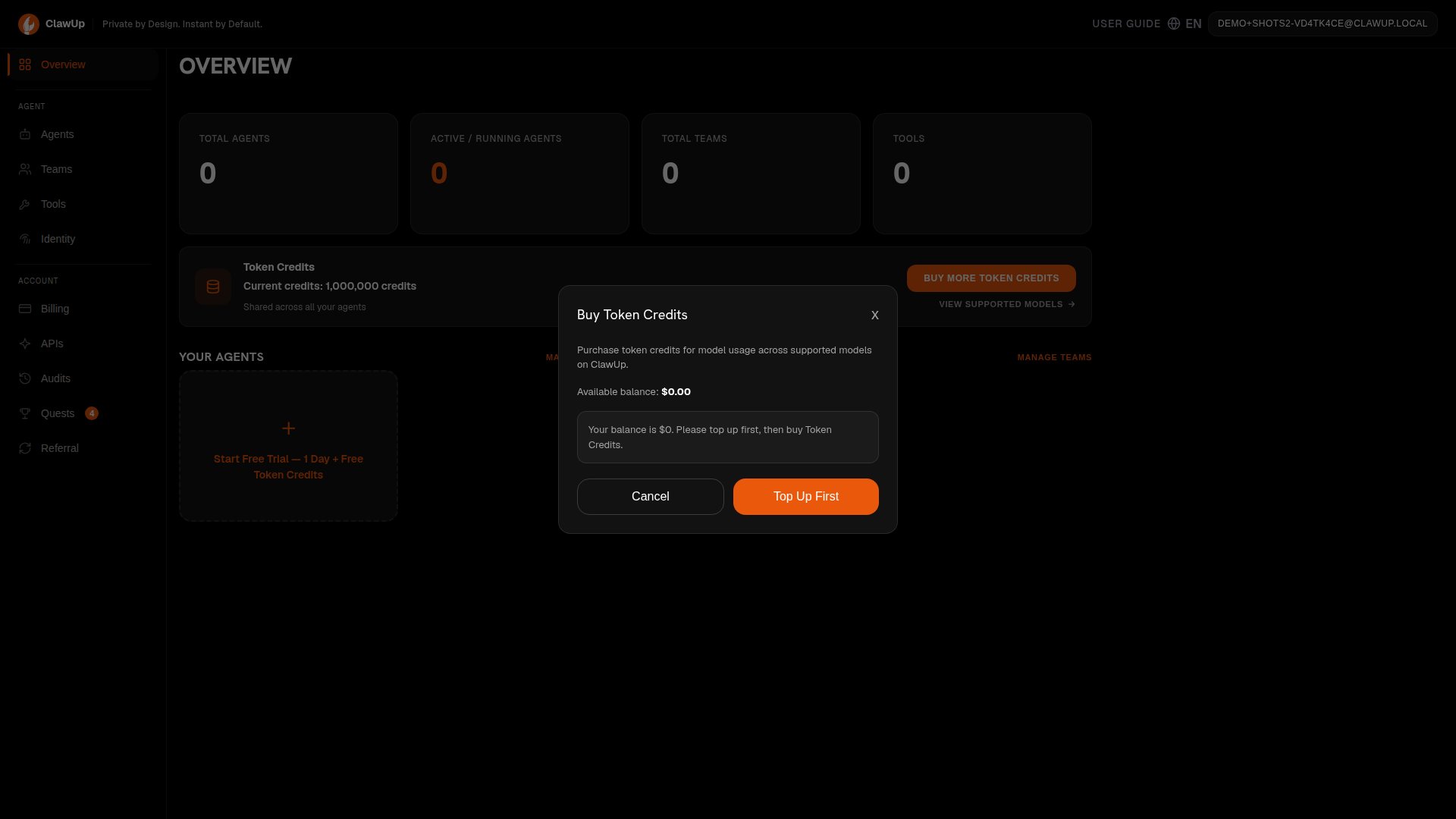
In managed mode, ClawUp holds and manages the upstream provider API keys — you don’t supply or see one. You buy Token Credits and use any supported model from a single balance, with no per-provider key to create or rotate. Pricing. ClawUp-managed models are priced roughly 5% below the official provider list rates — so managed costs less than going direct to the provider. Usage is metered per token at the rates below. Top up Token Credits in presets ($10 / $20 / $50) or any custom amount ($1–$500); credits draw down as your agents run, never expire, and are non-refundable. Rates — USD per 1M tokens (input / output). These track the live catalog and can change, so the in-app Supported Models list (Create Agent → “Use ClawUp-managed models”, or Overview → Buy Token Credits) is always authoritative:
Every supported provider — Anthropic, OpenAI, Google — is available from the same balance, all at the discounted managed rate.
Token Credits can be purchased:
- During agent creation (select “Use ClawUp-managed models”)
- From the Overview dashboard (“Buy Token Credits” button)
- From the Billing panel (top-up anytime)
Connect a subscription
Already pay for Claude or ChatGPT? Connect that plan instead of an API key or Token Credits. Pick 🔗 Connect a subscription under Model Usage (OpenClaw runtime only), then:- Claude — paste the
sk-ant-oat01-…token fromclaude setup-token(the value printed in the terminal, not the…#…code shown in the browser). - ChatGPT — paste the contents of
~/.codex/auth.json(created when you sign in with the OpenAI Codex CLI).
Balance Requirements
Billing Lifecycle
Daily Billing Tick
The billing system runs every 24 hours and performs:Balance Warning Emails
The system estimates your daily burn rate (compute + storage across all Agents) and sends emails based on remaining days:
Daily burn includes:
- Running Agents:
compute_hourly_rate × 24h+storage_gb_hourly_rate × GB × 24hper Agent - Stopped Agents with data:
storage_gb_hourly_rate × GB × 24hper Agent
Auto-Stop on Zero Balance
When your balance reaches zero:- All running Agents are stopped automatically
- If the runtime provisioner is unreachable, bots are force-marked Stopped in the database to prevent runaway billing
- Storage billing begins based on backup size
Grace Period (14 Days)
After auto-stop with zero balance:
During the grace period:
- Your workspace, backups, and configuration are preserved
- You can top up and restart at any time
- Storage fees continue to accrue (deducted when you top up)
Auto-Recovery on Top-Up
When you recharge (via any method):- Balance increases immediately
- Free plan Agents with expired trials are automatically upgraded to Basic
- You can restart stopped Agents manually
- No data is lost during the 14-day grace period
Free Trial
New users get a 1-day free trial:- Platform provisions a managed API key
- No balance required, no compute or storage charges during trial
- One Agent per user, platform-selected model
- Balance ≥ $20 → Agent keeps running, starts hourly billing
- Balance < $20 → Agent is stopped. Top up and restart anytime.
Team Billing
SubAgent mode is recommended — all team roles run inside one Agent as virtual sub-agents.
Recharge Methods
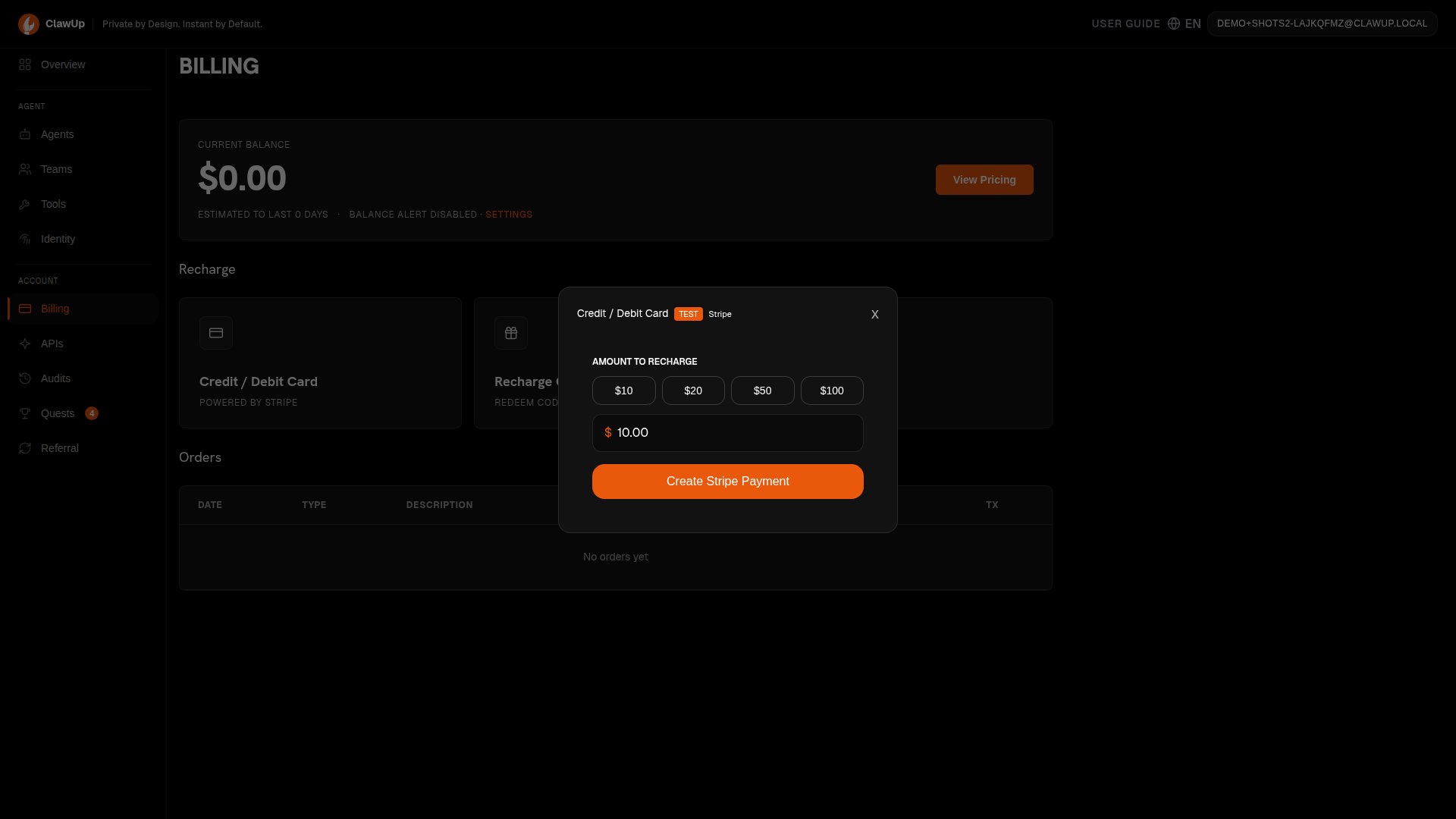
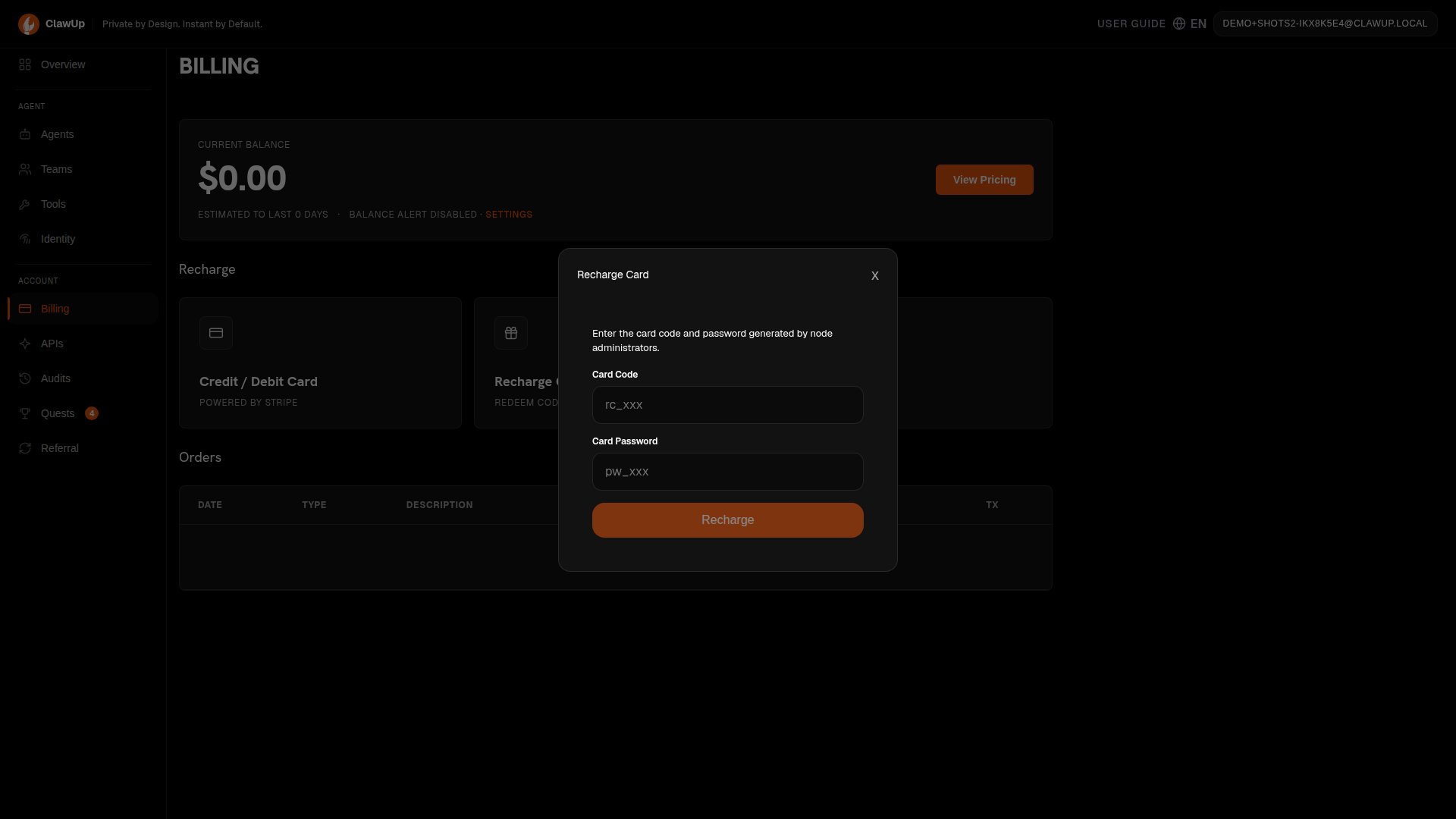
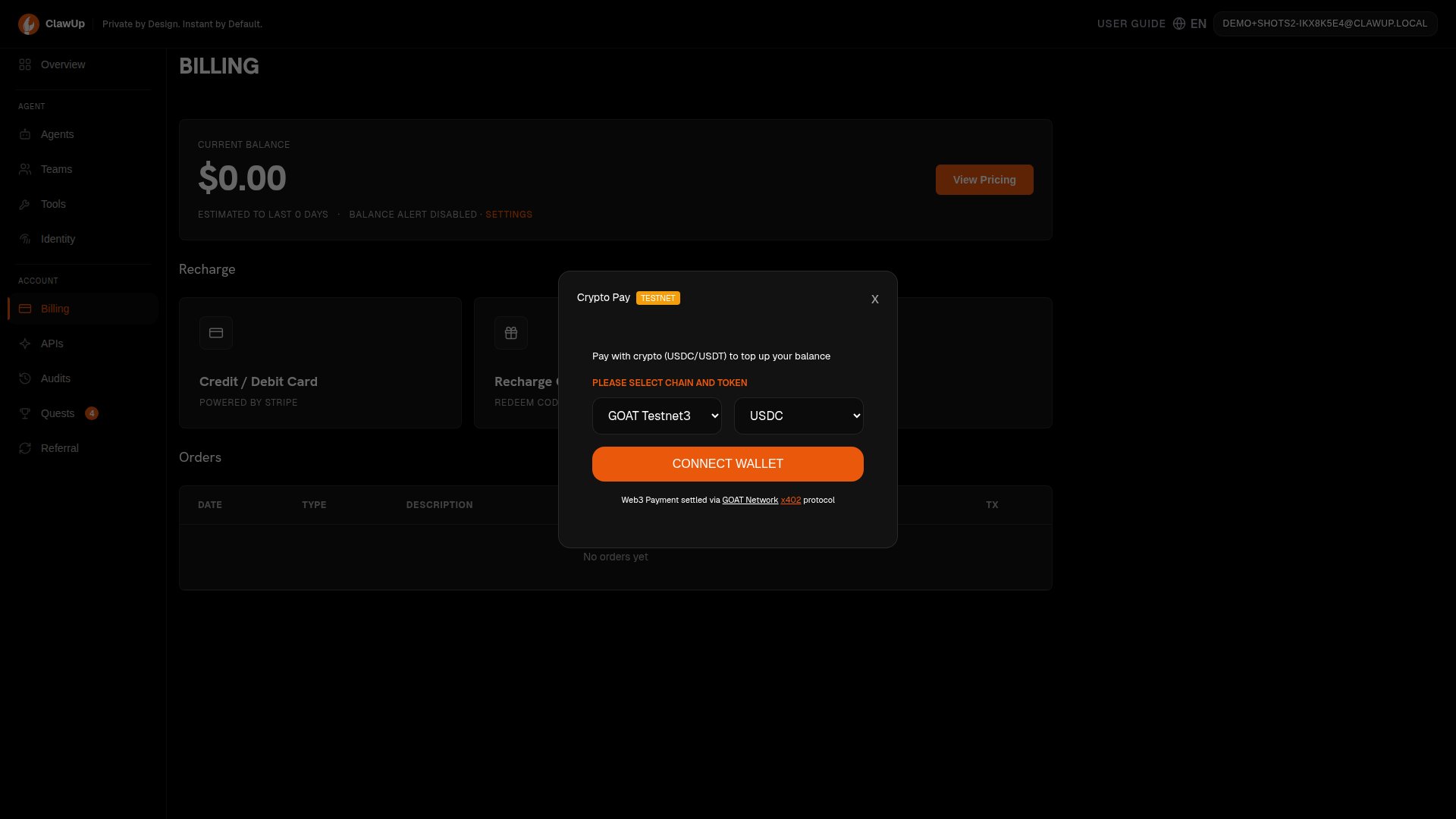
The Billing page (left sidebar) shows your current balance and three ways to top up: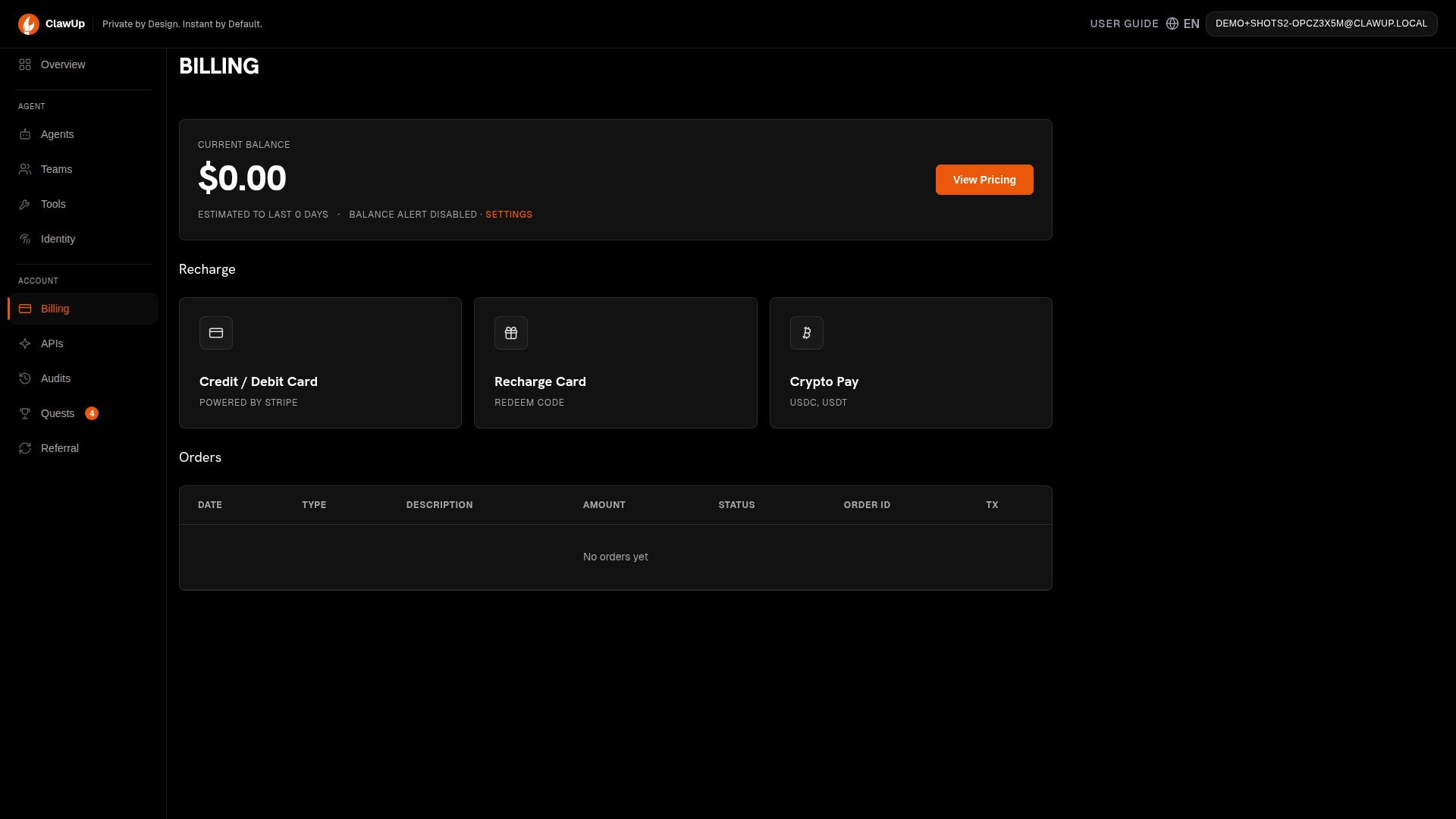
All recharge methods trigger automatic Free → Basic upgrade if applicable.
Billing Events
Related Guides
- For team pricing, see Teams